LEARN · WORK · BUILD

Learn smarter. Get hired. Build your future.

Prepare for tests. Strengthen your CV. Find opportunities. Build your business—all from one app.

WHO THRIVEDECK IS FOR Built for ambition at every stage.

to jump straight to the tools for that goal.

Get ThriveDeck Join the launch community

Coming soon to Android and iPhone

Coming soon onAndroid Coming soon oniPhone
  • 4,080practice questions
  • 160learning routes
  • 59business ideas
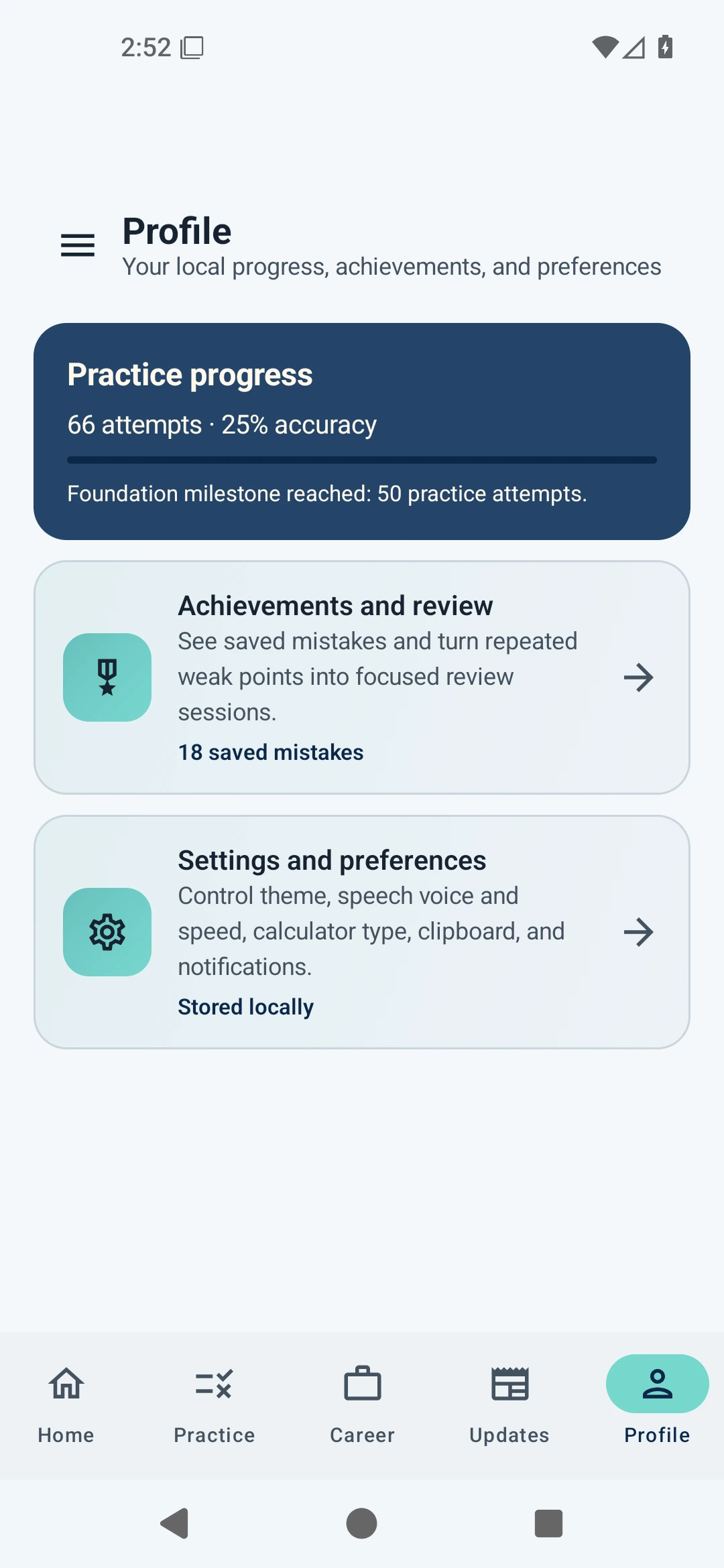
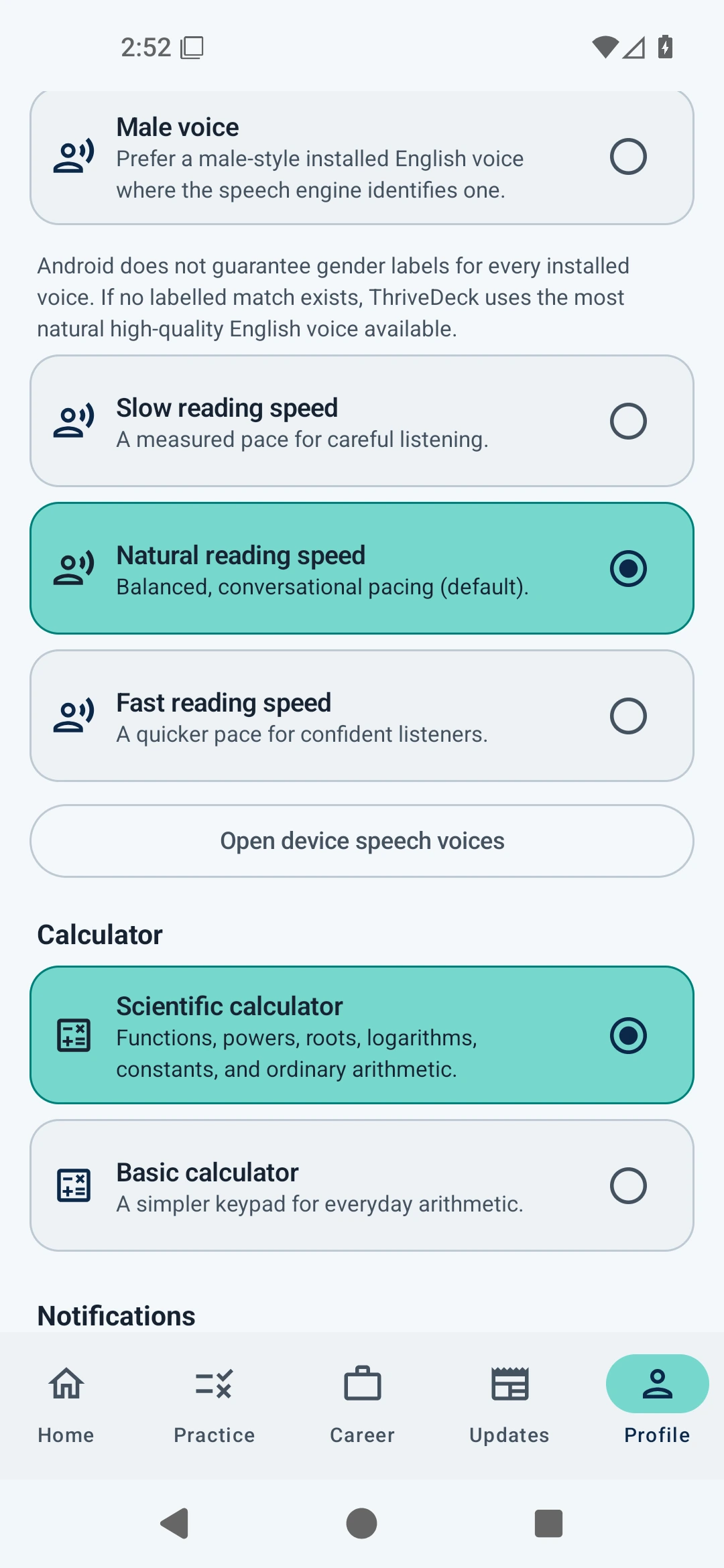
ThriveDeck progress profile on Android
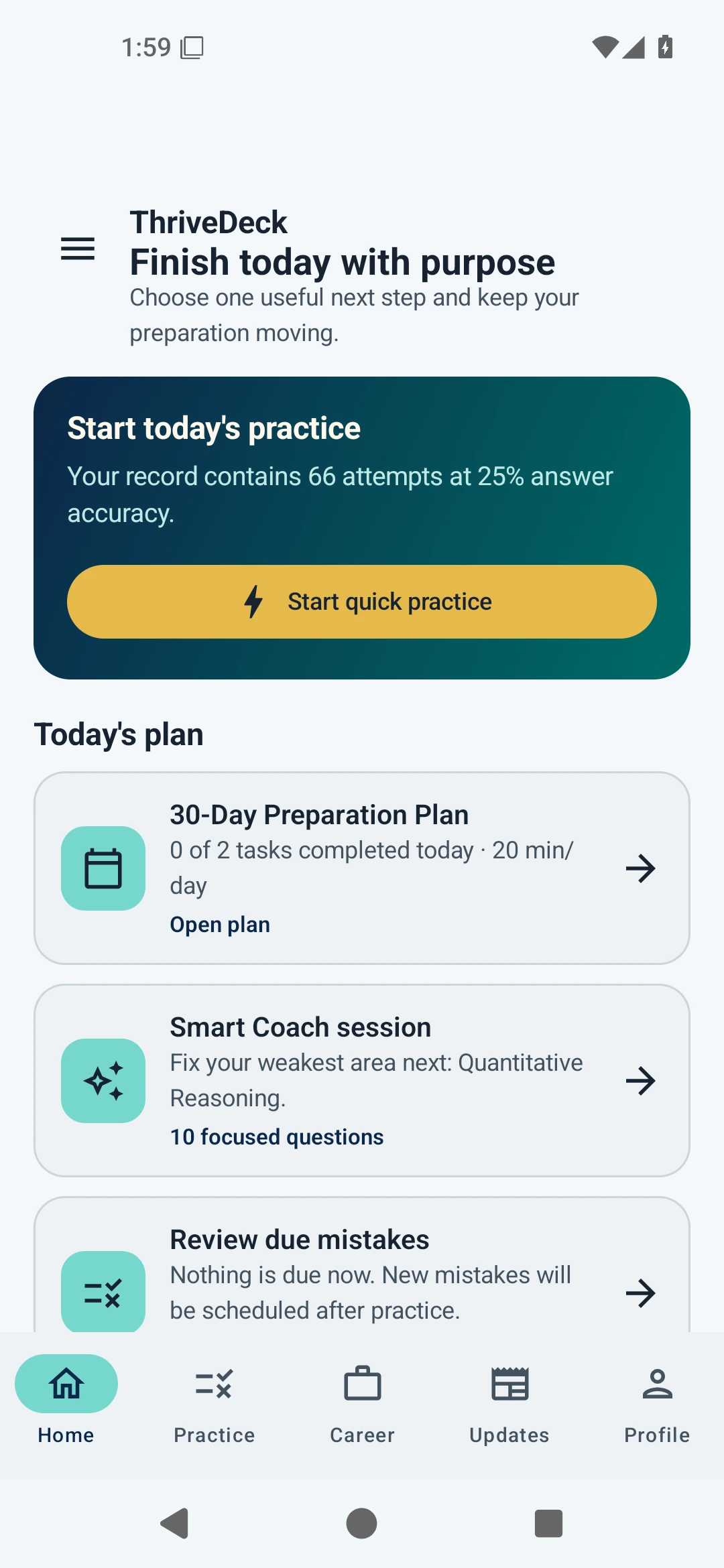
ThriveDeck home dashboard on Android
01

Smart CoachFocus on what costs you marks

02

Career toolsMove from preparation to action

Aptitude practiceCareer preparationOpportunity discoveryVenture toolsOffline-first core

WATCH THRIVEDECK IN ACTION

The app. In 60 seconds.

See the real tools, then explore the ones that matter to you.

  • 01PreparePractice, past questions, coaching, CV and interviews
  • 02ProgressGraduate jobs, remote work, courses and application tools
  • 03BuildFunding routes, venture planning, news, games and languages

Tap play for sound. Full-screen viewing is available from the video controls.

60-SECOND PRODUCT TOUR

LEARN

Practice that remembers where you struggle.

Practise, see where you struggle, and get a clear next step.

  • Smart CoachEvidence-based recommendations
  • Mistake VaultWrong, slow, skipped and bookmarked questions
  • Study supportWorked solutions, calculator, hints and read-aloud
See all learning features
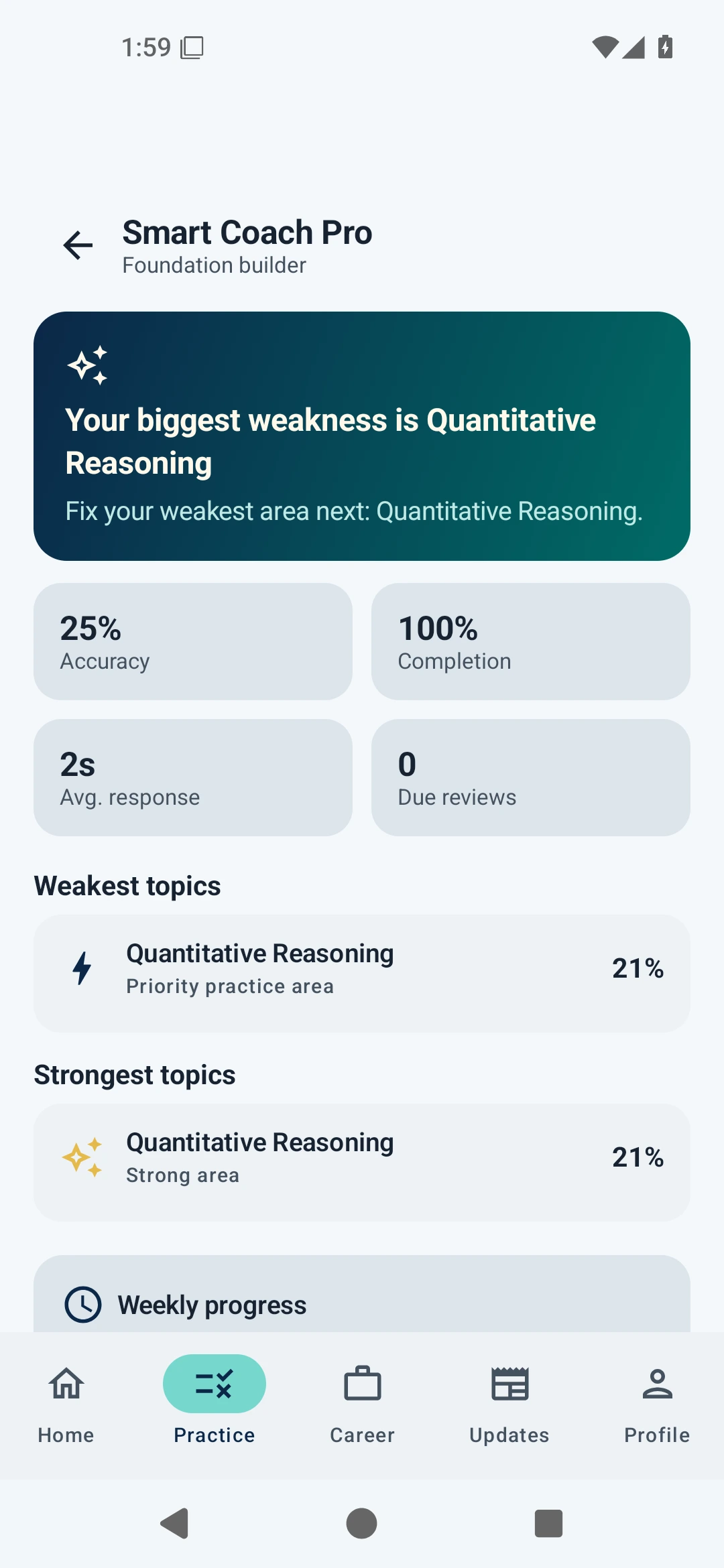
Smart Coach Pro showing recommended practice
Smart Coach Pro
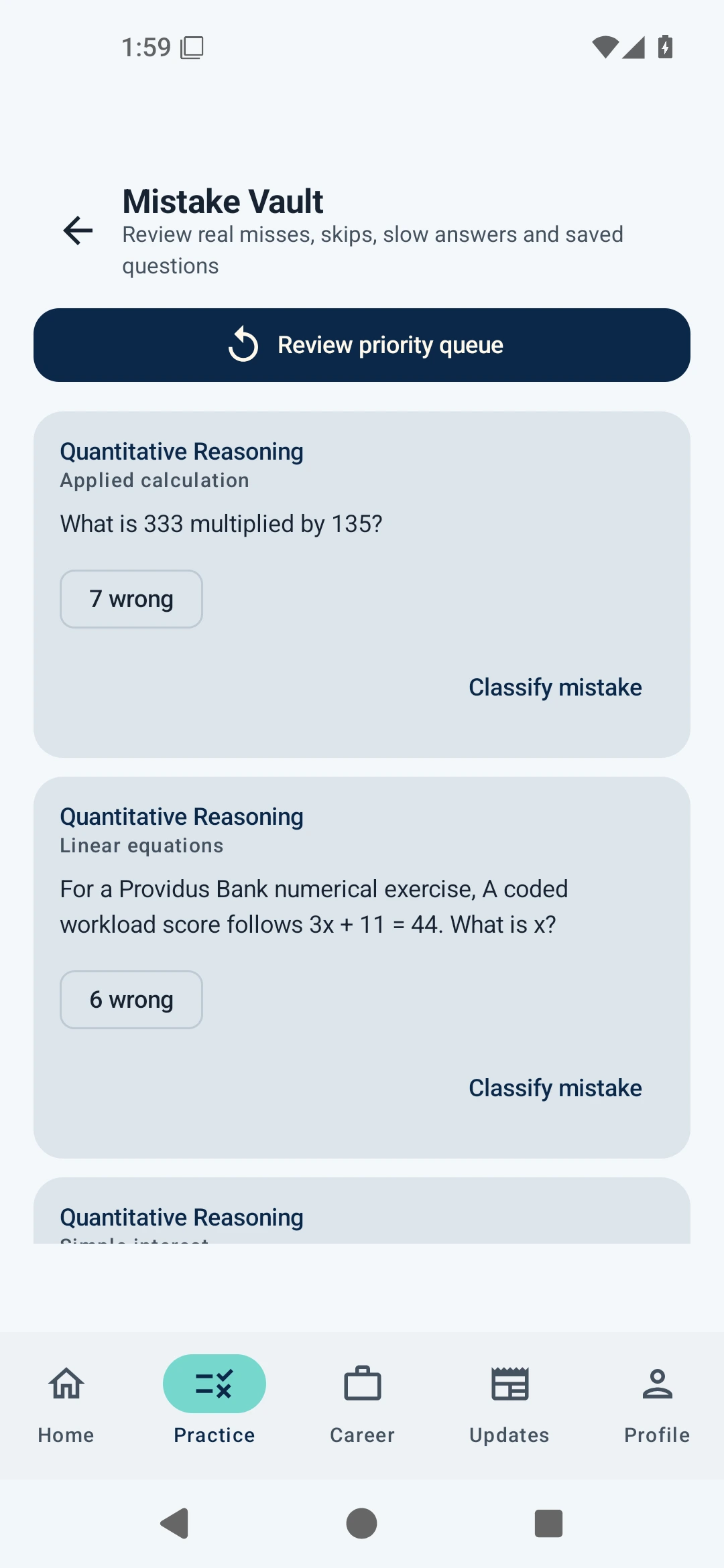
Mistake Vault review queue
Mistake Vault

PAST QUESTION VAULT

Pick a collection. Build a streak. See your progress.

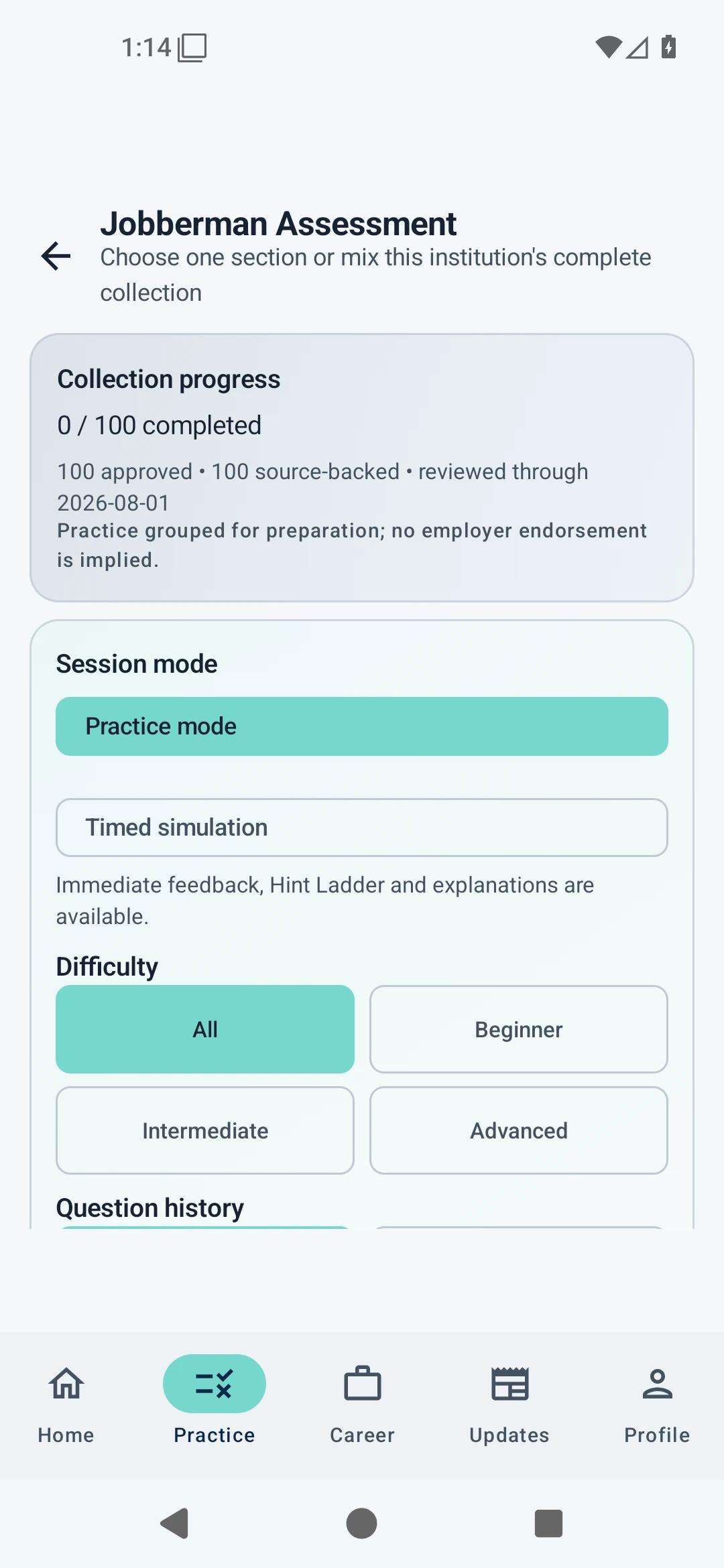
Search 25 collections. Choose your subject. Practise at your pace or against the clock.
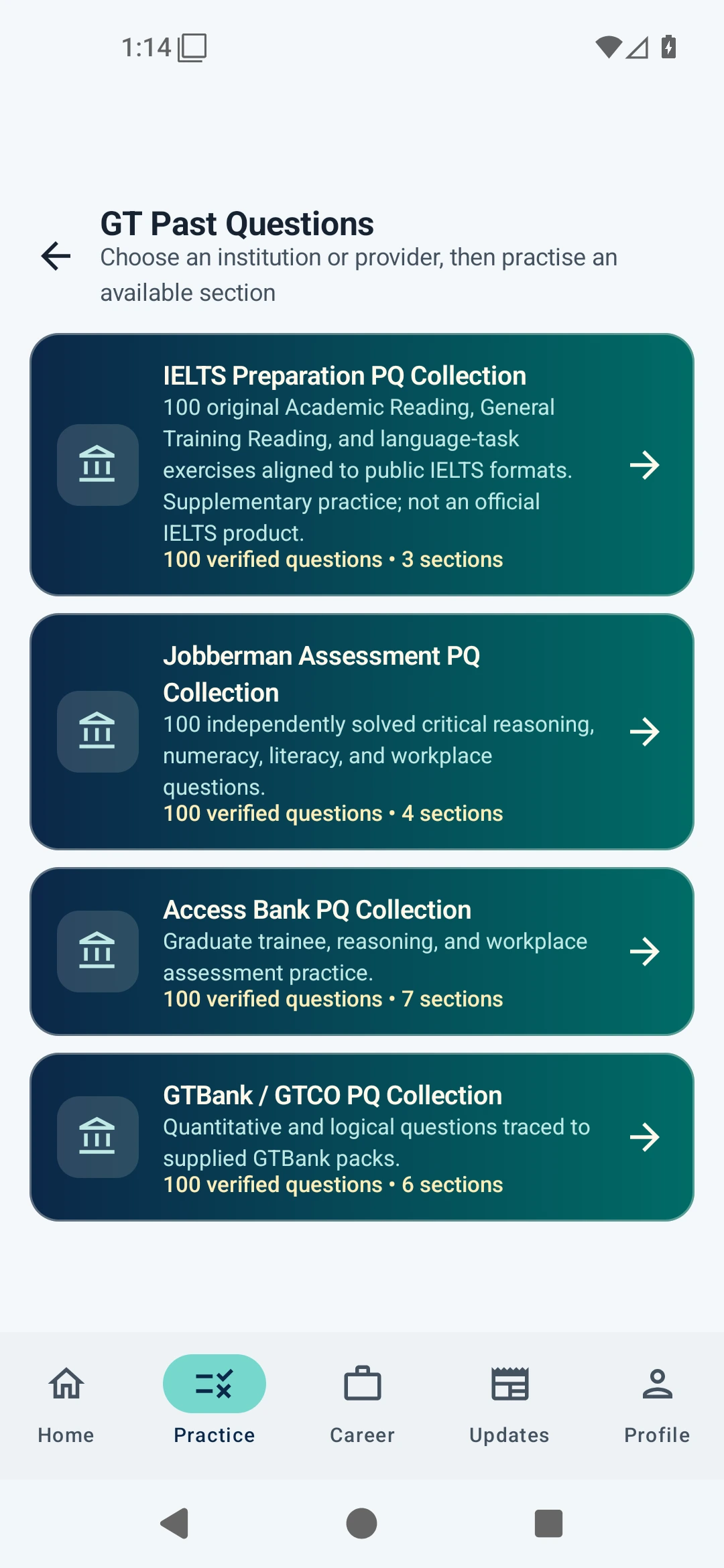
25 focused collections 3,230 questions Practice + timed modes Tracked on your device

Independent preparation content. Organisation names describe practice groupings and do not imply employer or test-provider endorsement.

WORK

Turn preparation into career movement.

Find roles that fit your skills, improve your CV and rehearse before the interview.

  • Career MatchOpportunities aligned with your skills
  • CV StudioTailored, ATS-friendly CV support
  • Interview SimulatorText or voice practice, with useful feedback
  • Application CopilotPrepare and track; you review and submit
See all career features
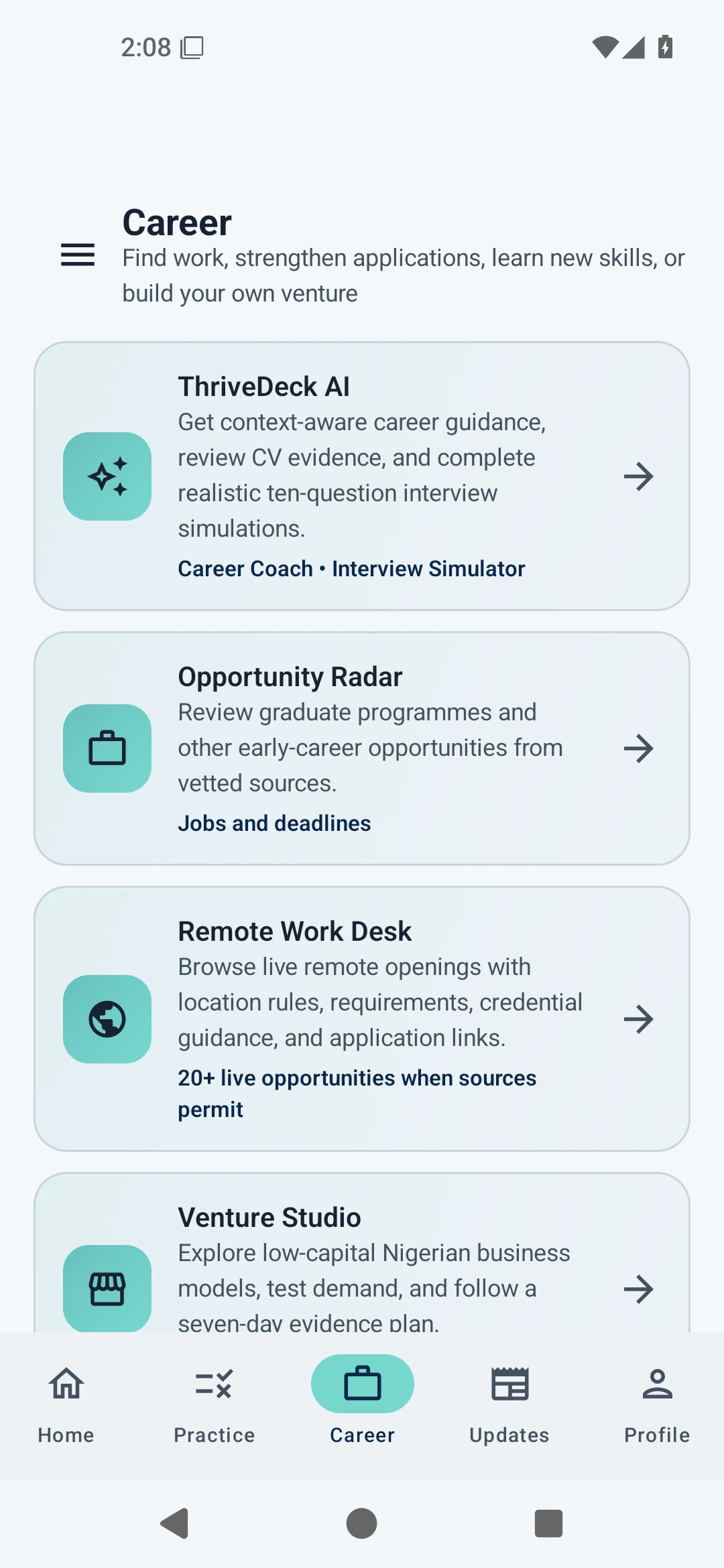
ThriveDeck Career hub
Career hub
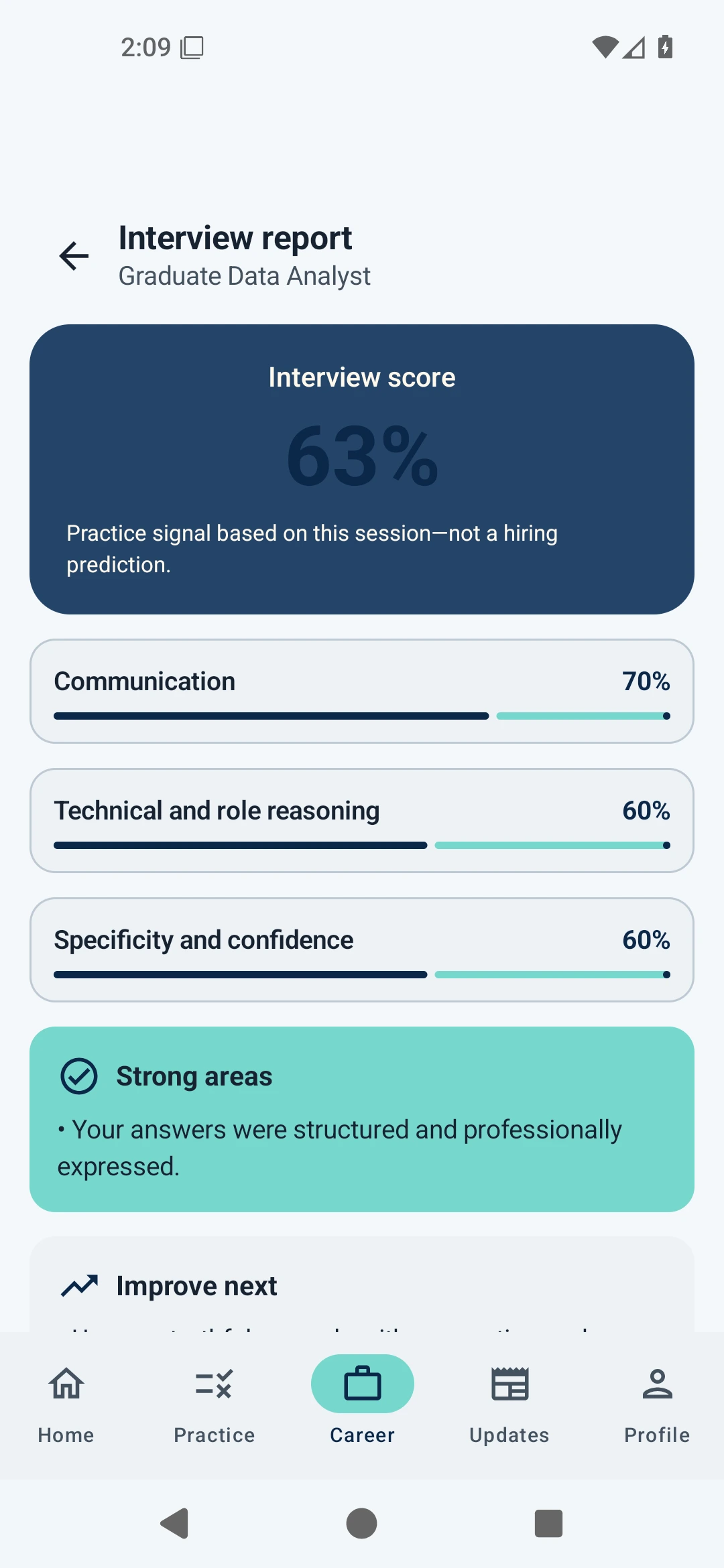
AI Interview Room report
Interview report

REAL DIRECTORIES INSIDE THE APP

Find your next opportunity.

Swipe through jobs, courses, communities and funding. Tap a screen for a closer look.

Screens show sample capture dates, not live vacancies. Confirm availability on the provider’s page.

OPTIONAL JOB & NEWS ALERTS

Stay in the know.

Turn on notifications for new opportunities and Nigeria updates. Turn them off whenever you want.

How alerts work

Job sources are checked about every six hours; news refreshes daily. Alerts need internet access, notification permission and fresh source data. Both are off by default.

BUILD

Don’t just save business ideas. Test them.

Explore low-capital ideas, plan your first sale and test demand before spending.
59venture models
8idea categories
7 daysto test evidence
See all Build features
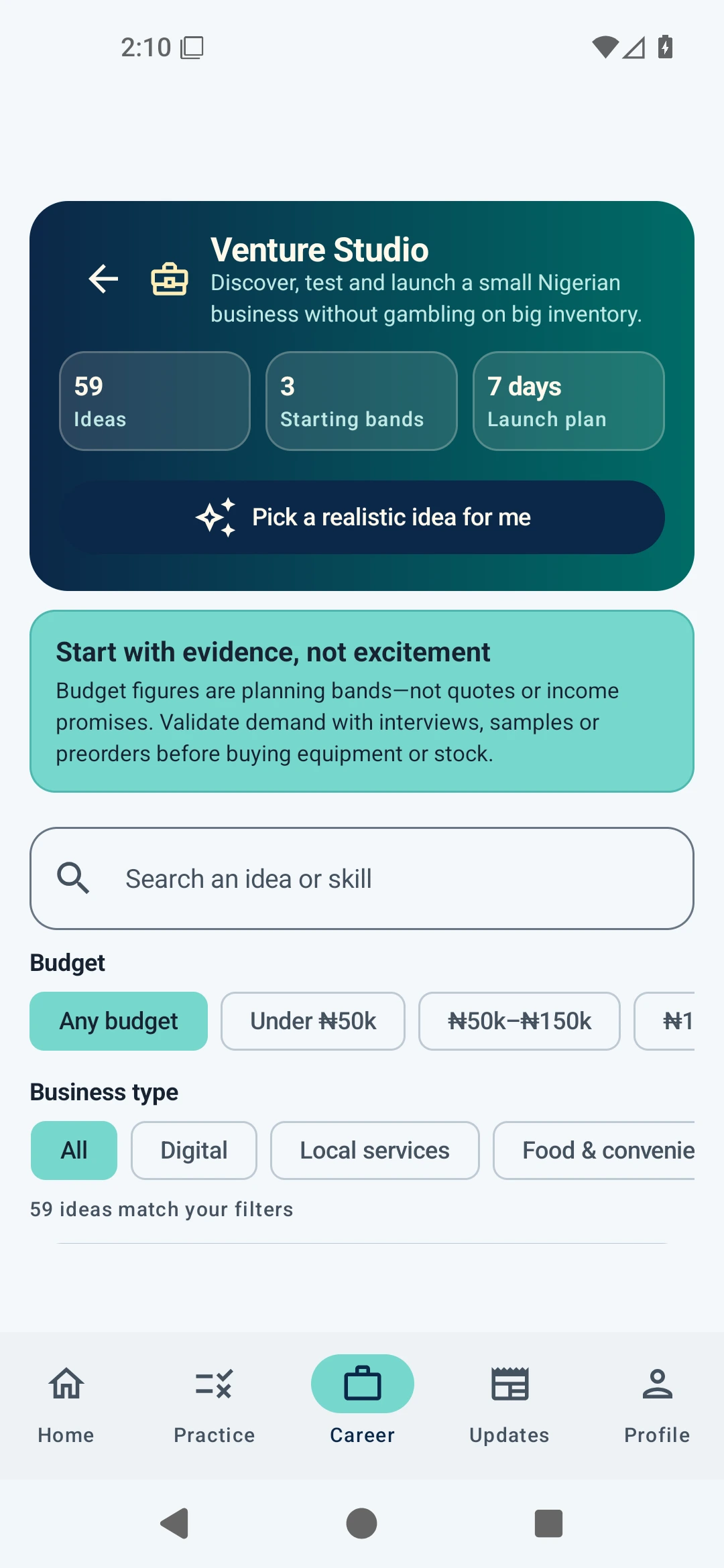
Venture Studio idea directory
Venture Studio
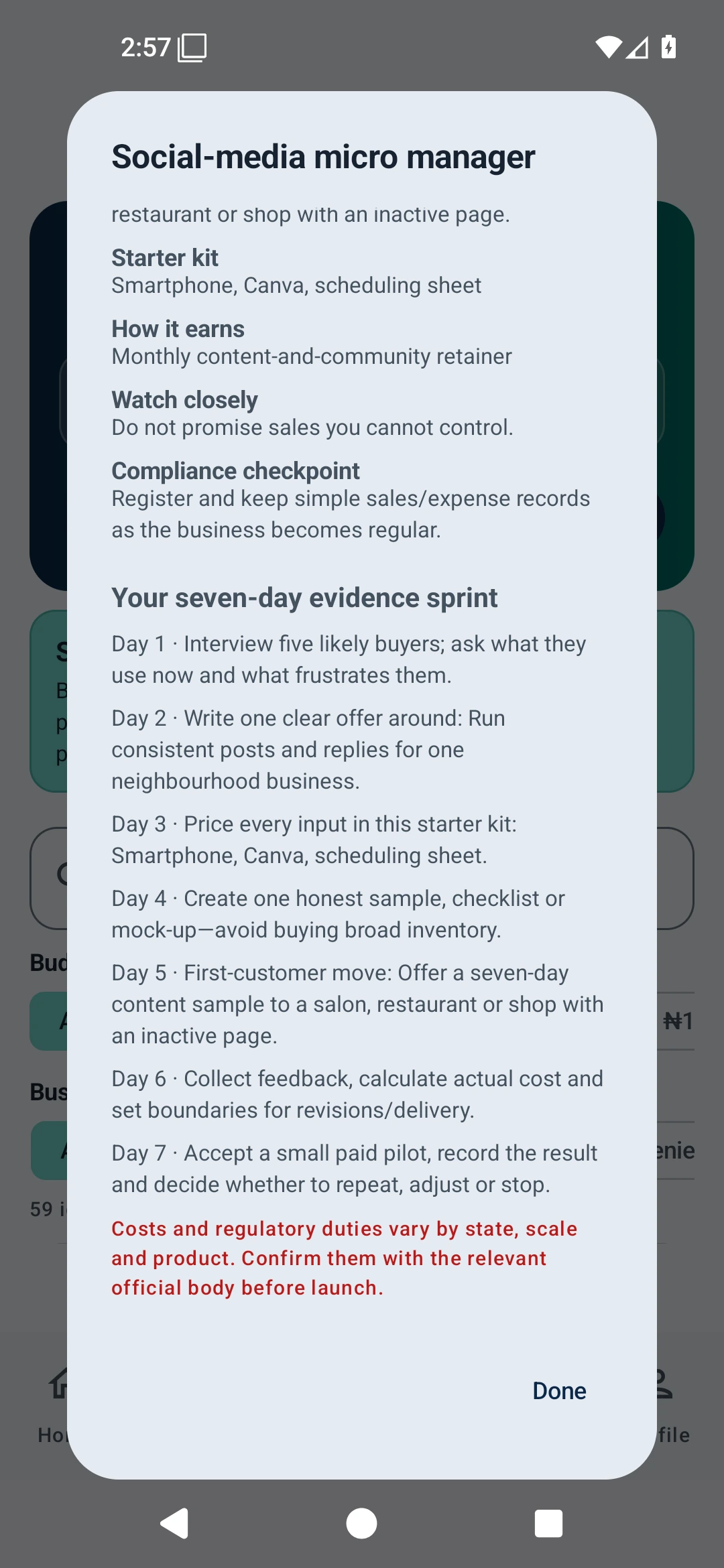
Seven-day venture evidence sprint
7-day evidence sprint

EVERYTHING INSIDE

Choose what you need.

Filter by your goal. Swipe the screens. Tap to enlarge.

PRIVATE BY DESIGN

Your progress. Your control.

Core progress stays on your device. You choose when to share a CV or question.

  • No account required for core use
  • Local progress and career data
  • Explicit external sharing
  • Offline-first learning
ThriveDeck privacy and notification settings

EARLY ACCESS

Be first to know when ThriveDeck is ready.

Join our WhatsApp community for launch news and early-access updates.

Join on WhatsApp

Opens the ThriveDeck early-access community in WhatsApp.

READY FOR YOUR NEXT MOVE?

Learn what matters. Find what’s next. Build from there.

Coming soon to Android and iPhone.

Get ThriveDeck

FAQ

Good to know before you start.

Does ThriveDeck need an account?

The offline-first core is designed to work without an account. Progress and user-entered career data are stored locally.

Which phones will ThriveDeck support?

ThriveDeck is coming soon to Android and iPhone. Verified download links will appear here when each release is ready.

Does it work offline?

Many learning, progress, planning, game and local-coaching features work offline. Live opportunity feeds, fresh updates, external links and optional external AI actions require connectivity.

Does ThriveDeck submit job applications automatically?

No. Application Copilot helps prepare and organise an application, then sends you to the official employer page so you can review and submit it yourself.

Is ThriveDeck affiliated with employers or test providers?

No. ThriveDeck is an independent learning, work and venture tool. Referenced practice collections do not imply affiliation, endorsement or official test-provider status.

Are all packaged questions cleared for commercial redistribution?

Not yet. The project rights ledger records unresolved third-party-source rights. Those records require legal/content review before any commercial distribution or marketing claim.

60-SECOND PRODUCT TOUR

See ThriveDeck in action.

Real app screens. Clear use cases. One quick tour through preparation, careers, opportunities, learning and business tools.

EVERYTHING IN ONE PLACE

What can ThriveDeck help you do?

A straightforward guide to the tools inside ThriveDeck—from exam preparation and career growth to business funding and useful breaks.

TEST

Practise aptitude tests

Prepare for quantitative, numerical, verbal, logical, English, current-affairs and other recruitment-test questions.

PQ

Use the Past Question Vault

Study organisation-, provider- and exam-style collections in practice or timed sessions, with progress tracking.

EXAM

Prepare for GMAT and IELTS

Work through focused verbal, critical-reading, quantitative and international English-test practice.

COACH

Understand weak areas

Use Smart Coach, progress evidence, spaced review and the Mistake Vault to decide what to practise next.

TOOLS

Learn with helpful study tools

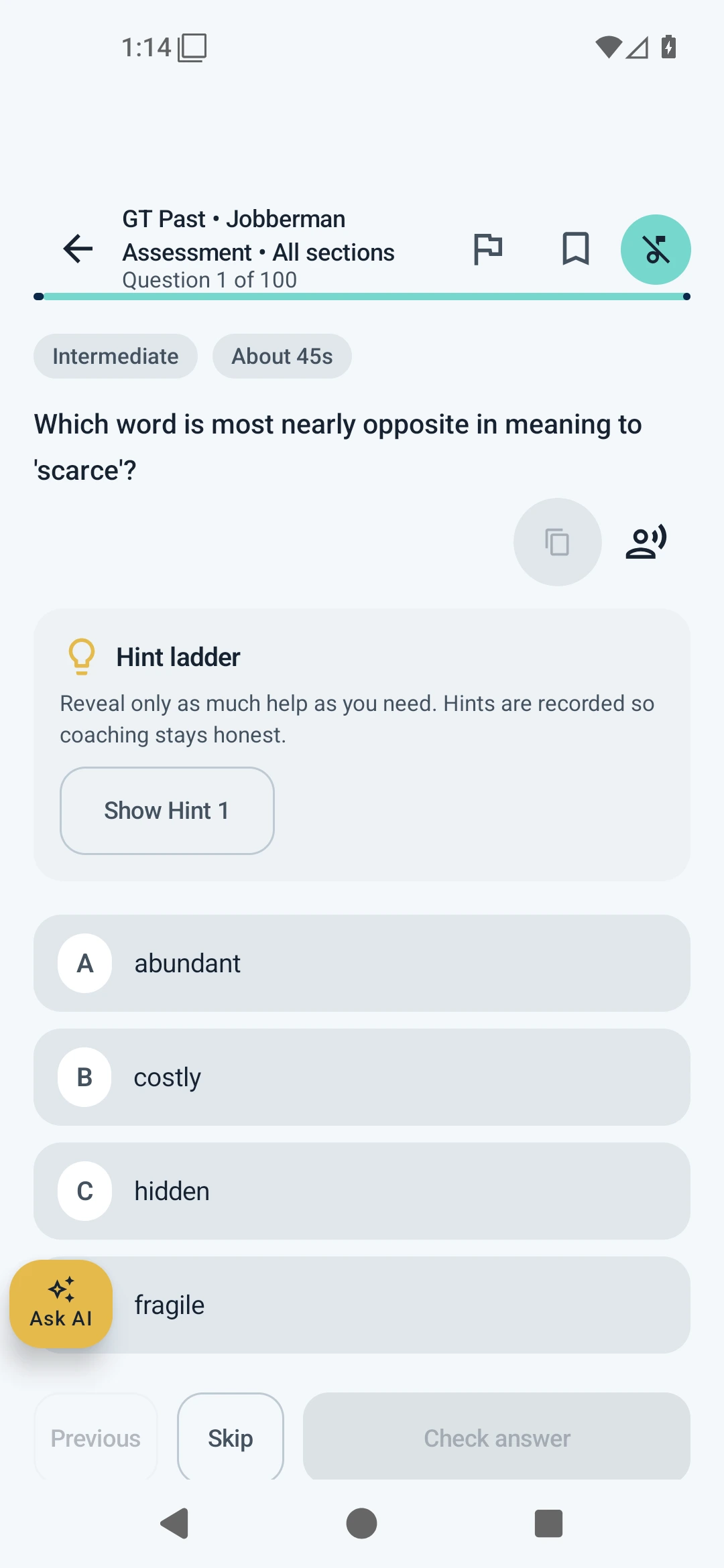
Get hints and explanations, hear suitable questions aloud, use the calculator, bookmark items, skip and move back.

CV

Improve your CV

Review, restructure and tailor your CV in CV Studio while keeping deliberate control over external sharing.

TALK

Practise interviews

Rehearse realistic interview questions by text or voice and receive structured feedback on your answers.

JOBS

Find graduate and wider jobs

Discover opportunities from public sources, prepare for applications and optionally receive new-job alerts.

REMOTE

Explore remote work

Find remote-friendly opportunities, understand common requirements and continue to official application pages.

MATCH

Find roles that match your specialisation

Use Career Match to discover relevant feed opportunities, see matching skills and take your search to LinkedIn, Indeed or Google.

TRACK

Organise applications

Track roles, deadlines and next actions, and use Application Copilot to prepare without pretending to submit for you.

LEARN

Learn useful career skills

Explore 160 role-aligned learning paths, including 50 focused AI routes, from recognised learning providers.

FUND

Find grants and funding

Browse 50+ official funding destinations for students, graduates, founders and small businesses.

BUILD

Test a business idea

Compare 59 low-capital Nigerian business models and run a practical seven-day evidence test before spending heavily.

NEWS

Stay informed

Follow useful news and current-affairs updates, with optional alerts that you control in settings.

PLAY

Learn and recharge

Use Language Quest, Brain Break and study soundscapes for a lighter, more engaging learning routine.

THRIVEDECK AT A GLANCE

One desk. 17 powerful features.

One feature at a time. Swipe across, or choose a feature below. Tap any screenshot to enlarge.

17 core features 34 app screens 4 growth areas
01
PREPARE

GMAT Study Hub

Focused verbal, critical-reading, quantitative and data-sufficiency practice.

GMAT Study Hub section selection screen
Choose a GMAT track
ThriveDeck question player with answer options
Practise in the full player
02
PREPARE

GT Past Question Vault

Organisation-style collections with filters, progress tracking and game-like practice.

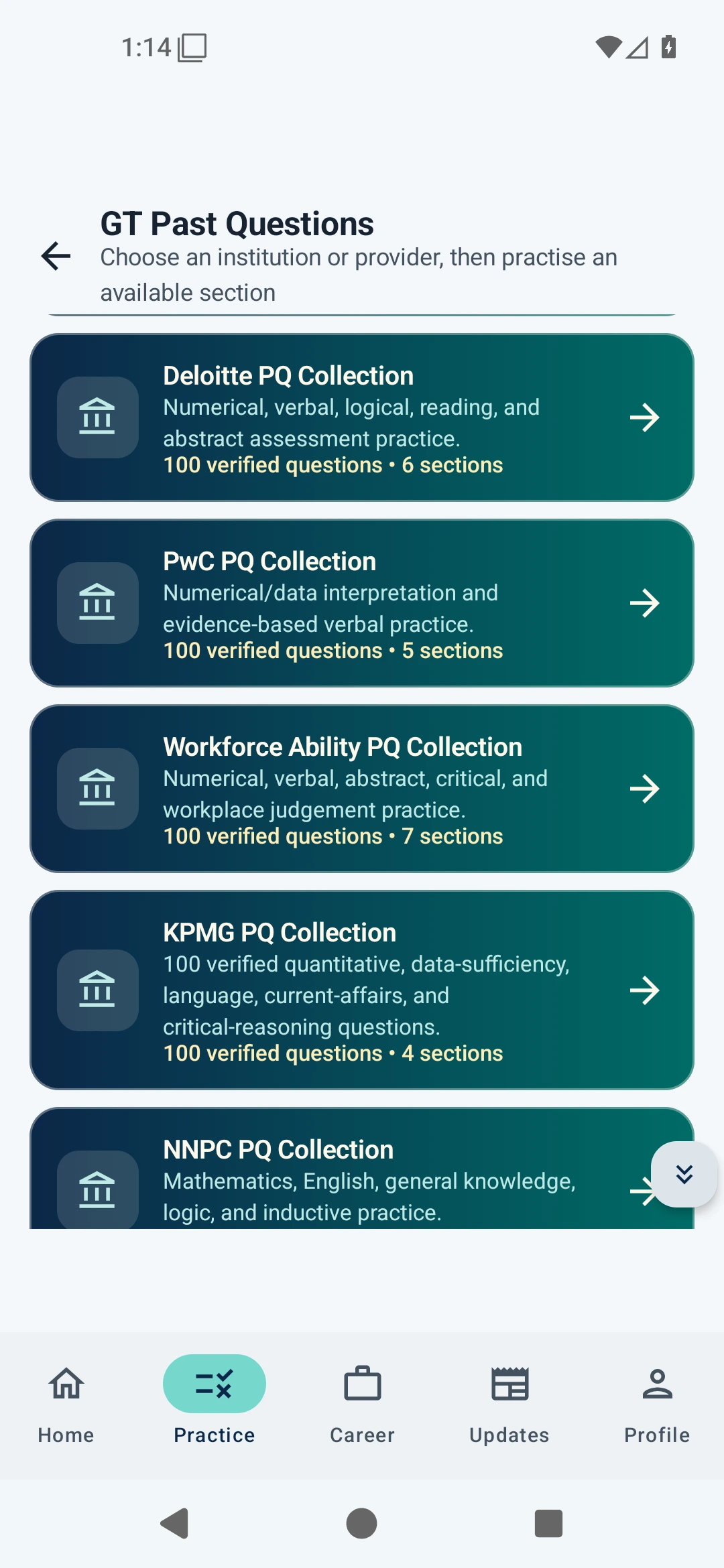
Organisation-style practice collections in the past-question vault
Browse organisation-style collections
Gamified past-question session with hints and navigation
Play through each collection
03
PREPARE

Assessment Simulator

Practise pacing under realistic time pressure and review honest result breakdowns.

Timed assessment simulator setup screen
Set up a timed simulation
Assessment result with score and accuracy breakdown
Understand every result
04
PREPARE

Smart Coach & Mistake Vault

Turn real attempts, weak topics and repeated mistakes into a focused next step.

Smart Coach showing practice priorities
Know what to practise next
Mistake Vault review queue
Revisit the misses that matter
05
CAREER

CV Studio & Career Coach

Review, tailor, version and strengthen your CV with focused career guidance.

CV Studio with an editable sample CV
Build stronger CV versions
ThriveDeck AI Career Coach workspace
Ask focused career questions
06
CAREER

Interview Trainer

Rehearse realistic questions by text or voice and review structured feedback.

Interview Trainer mode and difficulty selection
Choose your interview mode
Interview Simulator report and feedback
Review evidence-led feedback
07
OPPORTUNITIES

Graduate Opportunity Radar

Search graduate and wider openings, save roles and follow verified source links.

Graduate Opportunity Radar showing several roles at the time of capture
Scan graduate-first openings
Opportunity Radar search and filtering tools
Search and filter quickly
08
OPPORTUNITIES

Remote Work Desk

Find worldwide and Nigeria-friendly remote roles with requirement context.

Remote Work Desk showing a populated list of roles
Browse live remote roles
Remote Work Desk filters and role requirements
Check fit and requirements
09
CAREER

Application Copilot & Tracker

Prepare application kits and keep every saved, applied and interview-stage role organised.

Application Copilot with private documents and job matches
Prepare before you apply
Application Tracker pipeline with multiple statuses
Track every application stage
10
LEARN

Role-Aligned Learning Paths

Explore 160 free learning routes, including 50 focused AI and automation paths.

Role-aligned learning paths in ThriveDeck
Learn toward a career goal
AI learning catalogue showing several free courses
Explore 50 focused AI paths
11
BUILD

Funding Radar

Search 50+ official grant, accelerator and funding destinations by audience.

Funding Radar search and audience filters
Filter funding by audience
Funding Radar showing multiple official destinations
Reach official destinations
12
BUILD

Venture Studio

Explore low-capital Nigerian business ideas and validate demand before spending.

Venture Studio business idea explorer
Explore 59 practical ideas
Seven-day venture validation sprint
Run a seven-day evidence sprint
13
STAY READY

Updates, Current Affairs & Alerts

Follow useful Nigeria and career updates, practise recall and enable optional alerts.

ThriveDeck Nigeria and career updates feed
Catch useful daily updates
Daily and weekly current-affairs quiz options
Turn headlines into recall
14
CONNECT

Graduate Communities

Discover relevant applicant communities with transparent safety and availability notes.

Graduate Communities directory showing several groups
Browse relevant communities
Graduate community entry with safety information
Review before you join
15
RECHARGE

Brain Break

Reset between study sessions with short cognitive games and quick mental challenges.

Brain Break cognitive game in ThriveDeck
Recharge with a quick game
Brain Break challenge mode with a hint and revealed answer
Try challenge mode with hints
16
LEARN

Language Quest

Practise useful everyday phrases across ten languages with pronunciation and game-like challenges.

Language Quest language and difficulty selection
Learn through short challenges
Spanish challenge round in Language Quest with pronunciation and answer choices
Practise Spanish in challenge mode
17
OPPORTUNITIES

Career Match

Set your specialisation and skills, discover relevant feed matches and search LinkedIn, Indeed or Google with one tap.

Career Match with a private example data analyst profile
Your specialisation, your search
Career Match showing illustrative job matches and the reasons they match; not live vacancies
See why a role fits · demo matches

Text copying is disabled on this preview.